• 658d1e4uz7
  • 658d1e46zt
  • 658d1e4e3j
  • 658d1e4dcq
  • 658d1e4t3e
  • Leave Your Message

    2026 Top Anycubic PLA 3D Printer Filament Buying Guide

    Choosing filament is not a small detail. A spool can look perfect and still string across a model’s sharp corners. This 2026 guide helps readers compare Anycubic PLA 3D Printer Filament options by practical factors: diameter consistency, color, spool handling, print temperature, and compatibility with the printer. It also explains why a successful first layer depends on more than the label. Bed condition, room temperature, nozzle cleanliness, and storage can all change the result.

    Adrian Bowyer, founder of the RepRap project, has championed accessible, reproducible 3D printing. His work offers a useful principle for filament buyers: repeatable results matter more than impressive claims. That is especially true when printing a batch of brackets, classroom models, or small desk organizers. A few careful test prints can reveal whether a spool feeds smoothly and produces clean edges. Keep notes on temperature and retraction settings; a setting that works for one color may need adjustment for another. Small details matter.

    This guide will help readers weigh everyday print quality against price, color range, and ease of use. It will also distinguish useful product information from claims that need verification. PLA is often straightforward, but it is not magic. A damp spool, a dusty nozzle, or a rushed profile can spoil a print. And some recommendations may not fit every printer. Check your machine’s specifications, test a modest sample, and treat results as evidence—not a guarantee—before committing to a large project.
    2026 Top Anycubic PLA 3D Printer Filament Buying Guide

    What Anycubic PLA Filament Is and How It Is Made

    PLA, or polylactic acid, is a thermoplastic commonly made from sugars found in crops such as corn or sugarcane. Microorganisms ferment those sugars into lactic acid, which is then purified and chemically joined into longer polymer chains. The resulting resin can be formed into pellets for manufacturing. In a printer, heat softens the filament so it can be deposited in thin layers. It cools quickly, which helps printed edges hold their shape.

    Turning resin into filament takes careful control. Manufacturers melt the pellets, push the material through a narrow die, and cool the strand before winding it onto a spool. Diameter is measured along the way because even small variations can affect how consistently a printer feeds material. Colorants and other additives may also change how the filament behaves. Small details matter.

    PLA is often chosen for its relatively easy printing, but it is not entirely trouble-free. Damp filament can hiss or bubble at the nozzle, leaving rough surfaces. Dry storage helps, though recommended settings vary by formulation and printer. There is an environmental caveat, too: PLA does not reliably break down in ordinary home compost. I used to assume plant-derived meant compostable anywhere. That was too simple. Check the material specifications, and test a small print before a long job.
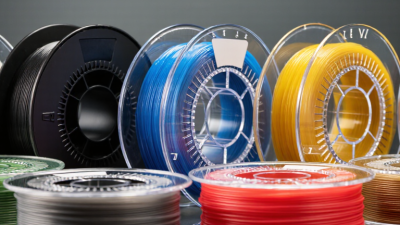
    2026 PLA 3D Printer Filament Buying Guide: What PLA Is and How It Is Made

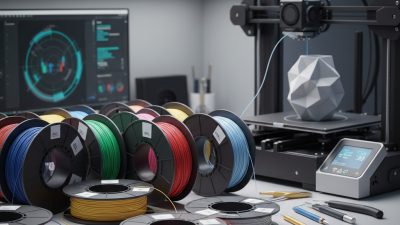
    PLA (polylactic acid) is a thermoplastic commonly made from lactic acid produced by fermenting plant-derived sugars. The lactic acid is polymerized into PLA, which is then melted, extruded into filament, and cooled. The chart shows typical temperature ranges; exact settings vary with filament formulation and printer.

    PLA Filament Types, Colors, and Material Properties

    PLA filament comes in standard, matte, silk, translucent, and additive-filled varieties. The color is not just cosmetic: pigments and fillers can change surface finish, flow, and layer bonding. A 2024 MatWeb materials database lists typical PLA density near 1.24 g/cm³ and glass-transition temperatures around 55–65°C. In practical terms, a warm car interior can soften a finished part. Not ideal for heat.

    Material properties also depend on print settings. Tymrak and colleagues reported average tensile strength of about 56.6 MPa for their printed PLA specimens, but their results reflected specific printers and test conditions. Treat that figure as a reference, not a guarantee. Matte and silk blends may look smooth, yet additives can make strength and extrusion less predictable. A spool that prints beautifully once may still need slower speeds or a different temperature next time.

    Tips: Check the filament label for nozzle-temperature guidance, then test a small sample before a long print. Store opened spools in a sealed bag with desiccant; damp filament may pop or leave rough strands. Compare colors using a short calibration print under your usual settings. Small test. Fewer surprises. I still find glossy colors hide layer lines, but they can also make flaws harder to judge.

    Printer Compatibility and Key Specifications to Check

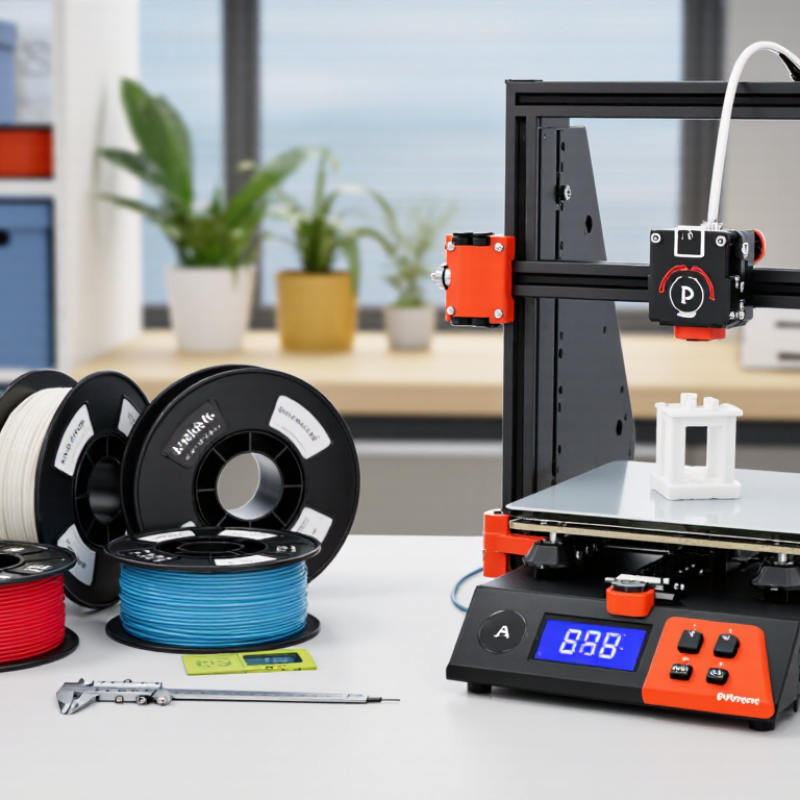
    Before buying PLA filament, check the printer’s required filament diameter. Many machines use 1.75 mm, while some use 2.85 mm; the wrong size may not feed correctly. Look for the manufacturer’s stated diameter tolerance, too. Small differences can cause uneven extrusion. I also check the spool width and center hole against the holder. It is an easy detail to miss.

    Compare the filament’s recommended nozzle temperature with the printer’s hot-end range. A typical PLA setting may fall around 190–220°C, but the package guidance and a small test print are better starting points. Check the heated-bed requirements and whether the printer has a suitable build surface. PLA usually works without an enclosure, though room drafts can affect tall or thin prints. A warm hot end is not enough if the extruder path is incompatible. I still find these specifications less tidy than they should be.

    Tips: Start with a short calibration print. Watch for gaps, stringing, or poor first-layer adhesion, then adjust one setting at a time. Store the spool dry and sealed; damp filament can crack or produce rough surfaces. Don’t assume every PLA spool behaves identically.

    How to Choose Anycubic PLA for Your Printing Needs

    Choose PLA by the job, not just the color. For brackets, organizers, and everyday prototypes, standard PLA is usually a practical starting point. For display pieces, matte filament can soften visible layer lines, while glossy finishes make curves and highlights stand out. Color can mislead. A sample swatch under room light may look different from the spool.

    Check your printer’s supported filament diameter before ordering, then review the recommended nozzle and bed temperatures on the spool label. If you print quickly, confirm that the material is rated for your intended speed; higher speed can expose weak cooling or poor extrusion settings. Fit matters. A spool that feeds smoothly is more useful than an attractive shade that tangles. Look for sealed packaging and a clear material specification, but don’t treat either as a guarantee of perfect prints.

    For a new filament, print a small temperature tower or a familiar test model before starting a long job. Watch for stringing, rough walls, and gaps between layers, then adjust one setting at a time. Keep unused PLA in a sealed bag with desiccant, especially in a humid room. I’ve found that storage gets overlooked. It is easy to blame the printer when damp filament is part of the problem. Test before committing. A few grams can reveal more than a product photo.

    Buying, Storing, and Using Anycubic PLA Filament

    Buying PLA filament well starts with matching the spool to the job. Check the stated diameter, dimensional tolerance, recommended nozzle temperature, and whether the material suits your printer. For decorative parts, color and finish matter; for fitted pieces, test a small sample before printing the full design. The Wohlers Report 2024 estimated the additive manufacturing industry reached $21.9 billion in 2023, growing 11.1% that year. That growth reflects broader use, but it does not guarantee every filament performs alike. Small differences matter.

    PLA absorbs moisture from the air, which can cause popping, rough surfaces, and brittle strands. Store opened spools in a sealed bag or dry box with fresh desiccant, away from sunlight and warm windowsills. ASTM D618 specifies 23 ± 2°C and 50 ± 10% relative humidity for conditioning plastics during testing; those are test conditions, not a promise of ideal long-term storage. Keep a simple note of spool opening dates and drying cycles. It helps, though records can be imperfect. Before printing, inspect the filament and listen for sharp crackles; dry it only within the temperature range recommended for that material. A brief test print can reveal stringing or weak layers before a long job wastes hours.

    2026 Top PLA 3D Printer Filament Buying Guide — Buying, Storing, and Using PLA Filament

    Stage Factor Practical Guideline What to Check or Do
    Buying Printer compatibility Confirm the filament diameter supported by the printer. Common formats include 1.75 mm and 2.85 mm; they are not interchangeable. Check the printer specifications and extruder setup before ordering.
    Buying Diameter consistency Look for a stated diameter tolerance and quality-control information. A consistent diameter helps support steady feeding and extrusion. Compare the listed tolerance with the printer or extruder requirements. Avoid relying on color or packaging alone as a quality indicator.
    Buying Spool dimensions and weight Check spool width, outer diameter, center-hole size, and filament net weight. Spools that do not fit the holder can bind or require an adapter. Compare the spool measurements with the printer enclosure, spool holder, or dry-box space.
    Buying Print-temperature guidance PLA print settings vary by formulation and printer. Use the temperature range provided for the specific spool as a starting point. Verify hot-end limits and whether the printer has a heated bed. Adjust settings gradually using a small test print.
    Buying Intended use Standard PLA is suitable for many models, prototypes, and decorative parts. PLA can soften in high heat and may be less suitable for demanding outdoor or high-temperature applications. Consider the part’s operating temperature, sunlight exposure, mechanical loads, and required durability.
    Buying Color and finish Color, opacity, sheen, and surface appearance can vary between formulations and production batches. For color-critical work, test a small sample from the same batch before printing a large project.
    Storing Moisture protection Keep unused filament in a sealed bag or airtight container with fresh desiccant. PLA can absorb moisture from the air over time. Reseal the spool after use and avoid leaving it exposed in a humid room.
    Storing Storage conditions Store spools in a cool, dry place away from direct sunlight, heat sources, and large temperature swings. Keep the filament clean and dry, and protect it from dust that could enter the extruder.
    Storing Moisture warning signs Excess moisture may contribute to popping or crackling during extrusion, inconsistent flow, rough surfaces, or increased stringing. If these signs appear, rule out other causes such as incorrect temperature or retraction settings, then consider drying the spool.
    Using Drying filament Use a filament dryer or another controlled, temperature-regulated method. Follow the filament maker’s drying guidance; excessive heat can deform the spool or filament. Do not assume one drying temperature or duration is suitable for every spool. Avoid unattended improvised heating methods.
    Using Bed preparation A clean, suitable build surface and a level or calibrated bed help improve first-layer adhesion. Clean the build plate using a method compatible with its surface, and follow the printer’s bed-preparation instructions.
    Using First-layer setup A properly placed first layer should adhere evenly without being excessively flattened or visibly separated from the build surface. Check bed leveling, nozzle height, and the initial-layer settings before changing multiple print parameters at once.
    Using Temperature tuning Begin within the spool’s stated range, then adjust in small steps based on layer bonding, surface quality, and stringing. Print a temperature test when changing filament type or formulation, and record settings that work reliably.
    Using Spool feeding The spool should rotate freely, with the filament routed smoothly into the extruder and no crossed or tangled loops. Secure the loose filament end when removing the spool so it cannot unwind or form a knot.
    Using Print ventilation and safety Operate the printer in a ventilated area and follow the printer’s safety instructions. Keep hot surfaces and moving parts clear. Do not touch the hot end or heated bed during operation, and supervise prints when practical.